

Subscribe & Get 10% Off
Join our community and receive a discount code for your first order!
10 Business Processes Every Company Should Automate Before Hiring More Employees
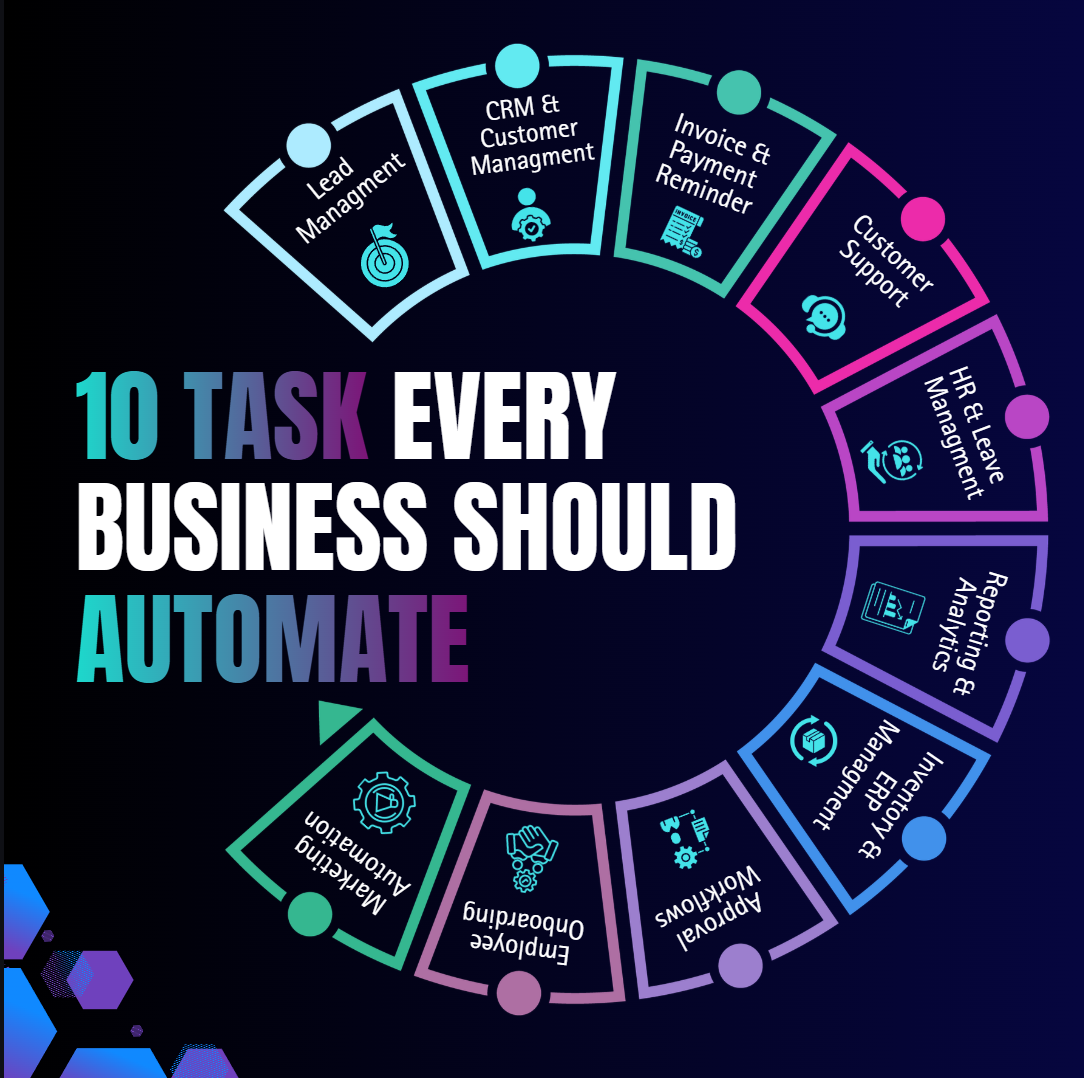
10 Business Processes Every Company Should Automate Before Hiring More Employees
Introduction
Growth is exciting. More customers, more inquiries, and more projects usually mean your business is moving in the right direction. But with growth comes a common challenge—your team becomes busier, deadlines become tighter, and everyday operations start feeling overwhelming.
For many business owners, the first instinct is to hire another employee. While hiring talented people is important, it isn't always the smartest solution. In many cases, the real problem isn't a lack of staff—it's inefficient business processes.
Think about how much time your employees spend entering data, replying to repetitive emails, updating spreadsheets, creating invoices, or chasing approvals. These tasks are essential, but they don't directly generate revenue. They consume valuable time that could be spent serving customers, closing deals, or improving your products.
Business Process Automation helps companies eliminate repetitive work by using technology to perform routine tasks automatically. Instead of increasing payroll every time your workload grows, you build smarter systems that allow your existing team to achieve more.
In this guide, we'll explore ten business processes every company should automate before hiring more employees and explain how automation can help your business scale faster, reduce costs, and improve productivity.
Why Businesses Should Fix Processes Before Hiring
Hiring more people doesn't automatically solve operational problems. If your workflows are inefficient, adding more employees simply means more people are following the same inefficient process.
Imagine two companies receiving 100 customer inquiries every week.
The first company hires two additional employees to manually respond to emails, update spreadsheets, and assign leads.
The second company automates lead capture, CRM updates, email responses, and appointment scheduling.
Both companies continue growing, but the second business scales with lower costs, fewer errors, and faster response times.
Automation doesn't replace talented employees—it removes repetitive tasks so they can focus on work that creates real business value.
1. Lead Capture and Management
Every lead represents a potential customer. Yet many businesses still rely on manually checking emails, copying information into spreadsheets, and assigning leads to sales representatives.
A modern CRM can automatically collect website inquiries, assign leads to the right salesperson, send a welcome email, and schedule follow-up reminders within seconds.
Faster response times often lead to higher conversion rates and a better customer experience.
2. Customer Relationship Management (CRM)
Customer information should never be scattered across emails, notebooks, or spreadsheets.
A CRM system automatically stores customer interactions, tracks communication history, schedules follow-ups, and provides valuable insights into your sales pipeline.
With CRM automation, your sales team spends less time updating records and more time building relationships with customers.
3. Invoice Generation and Payment Reminders
Creating invoices manually takes time and increases the risk of errors.
Automation allows invoices to be generated automatically after a sale or project milestone. Payment reminders are sent on schedule, reducing overdue invoices and improving cash flow.
Your finance team spends less time on repetitive administration and more time analyzing business performance.
4. Employee Onboarding
Hiring new employees involves creating accounts, collecting documents, assigning training materials, and sharing company policies.
Instead of repeating these tasks manually, HR automation streamlines the entire onboarding process. New employees receive everything they need automatically, making their first days more productive while reducing administrative work for your HR team.
5. AI-Powered Customer Support
Customers expect quick responses, even outside business hours.
AI-powered chatbots can answer common questions, collect customer information, schedule appointments, and direct complex issues to the appropriate team member.
This improves customer satisfaction while allowing your support team to focus on more important conversations.
6. HR and Leave Management
Managing leave requests, attendance, payroll, and employee records manually becomes difficult as your business grows.
HR management systems automate leave approvals, attendance tracking, document management, and employee records, helping HR teams work more efficiently while reducing paperwork.
7. Inventory and ERP Management
Businesses that manage inventory manually often face stock shortages, overstocking, and inaccurate reporting.
An ERP system connects inventory, purchasing, finance, and sales into one centralized platform.
Real-time inventory tracking allows businesses to make better decisions while reducing costly mistakes.
8. Marketing Automation
Following up with every lead manually isn't practical.
Marketing automation tools send personalized emails, schedule campaigns, nurture leads, and monitor customer engagement automatically.
This keeps potential customers engaged throughout their buying journey while reducing manual work for your marketing team.
9. Reporting and Analytics
Managers shouldn't spend hours preparing reports every week.
Business intelligence dashboards automatically collect information from CRM, ERP, accounting software, and other business systems.
Instead of creating reports, decision-makers can focus on understanding the data and making better business decisions.
10. Approval Workflows
Purchase requests, leave applications, expense approvals, and document reviews often become bottlenecks.
Workflow automation routes requests to the appropriate manager, sends reminders, tracks approvals, and maintains complete records.
This speeds up operations while improving accountability throughout the organization.
Manual vs Automated Business
How to Start Your Automation Journey
You don't need to automate everything at once.
Start by identifying repetitive tasks that consume the most time.
Ask yourself:
Which tasks do employees repeat every day?
Which activities cause frequent delays?
Where do mistakes happen most often?
Which processes frustrate customers?
Automate one workflow first, measure the results, and continue improving your operations step by step.
Why Choose BalanceBit Solutions?
At BalanceBit Solutions, we help businesses simplify operations through intelligent technology solutions.
Our expertise includes:
AI Business Automation
CRM Development
ERP Development
HRM Systems
Custom Software Development
Website Development
Mobile App Development
DevOps & Cloud Solutions
Cybersecurity Services
We don't just implement software—we design solutions that solve real business problems and support long-term growth.
Conclusion
Growing your business doesn't always mean hiring more people.
Sometimes, the smartest investment isn't another employee—it's a better process.
By automating repetitive tasks like lead management, customer support, invoicing, HR operations, reporting, and approval workflows, businesses can improve efficiency, reduce operational costs, and create more time for meaningful work.
Automation allows your team to focus on innovation, customer relationships, and strategic growth instead of routine administration.
Before you hire your next employee, take a closer look at your workflows.
You may discover that the biggest opportunity for growth isn't adding more people—it's building smarter systems.
Frequently Asked Questions
1. What is Business Process Automation?
Business Process Automation uses technology to automate repetitive tasks, helping businesses improve productivity and reduce manual work.
2. Which business process should I automate first?
Start with repetitive tasks such as lead management, CRM updates, invoicing, customer support, and reporting.
3. Is automation expensive?
Many automation solutions provide a strong return on investment by reducing labor costs, minimizing errors, and improving operational efficiency.
4. Will automation replace employees?
No. Automation removes repetitive tasks so employees can focus on higher-value work that requires creativity, expertise, and decision-making.
5. How can BalanceBit Solutions help?
BalanceBit Solutions provides AI automation, CRM, ERP, HRM, DevOps, cloud, and custom software solutions tailored to your business needs.
Ready to Automate Your Business?
If you're looking to streamline operations, improve productivity, and prepare your business for long-term growth, BalanceBit Solutions is here to help.
Contact us today for a free consultation and discover how intelligent automation can transform your business.